Aircore · Shopify store redesign · desktop and mobile · 2026
Helping two kinds of buyers navigate 17,000 products
A Shopify redesign for heating and cooling systems, serving homeowners who need guidance and contractors who know what they want.
- Role
- Product Designer, UX and UI
- Focus
- System customiser and storefront
- Status
- Launched on Shopify
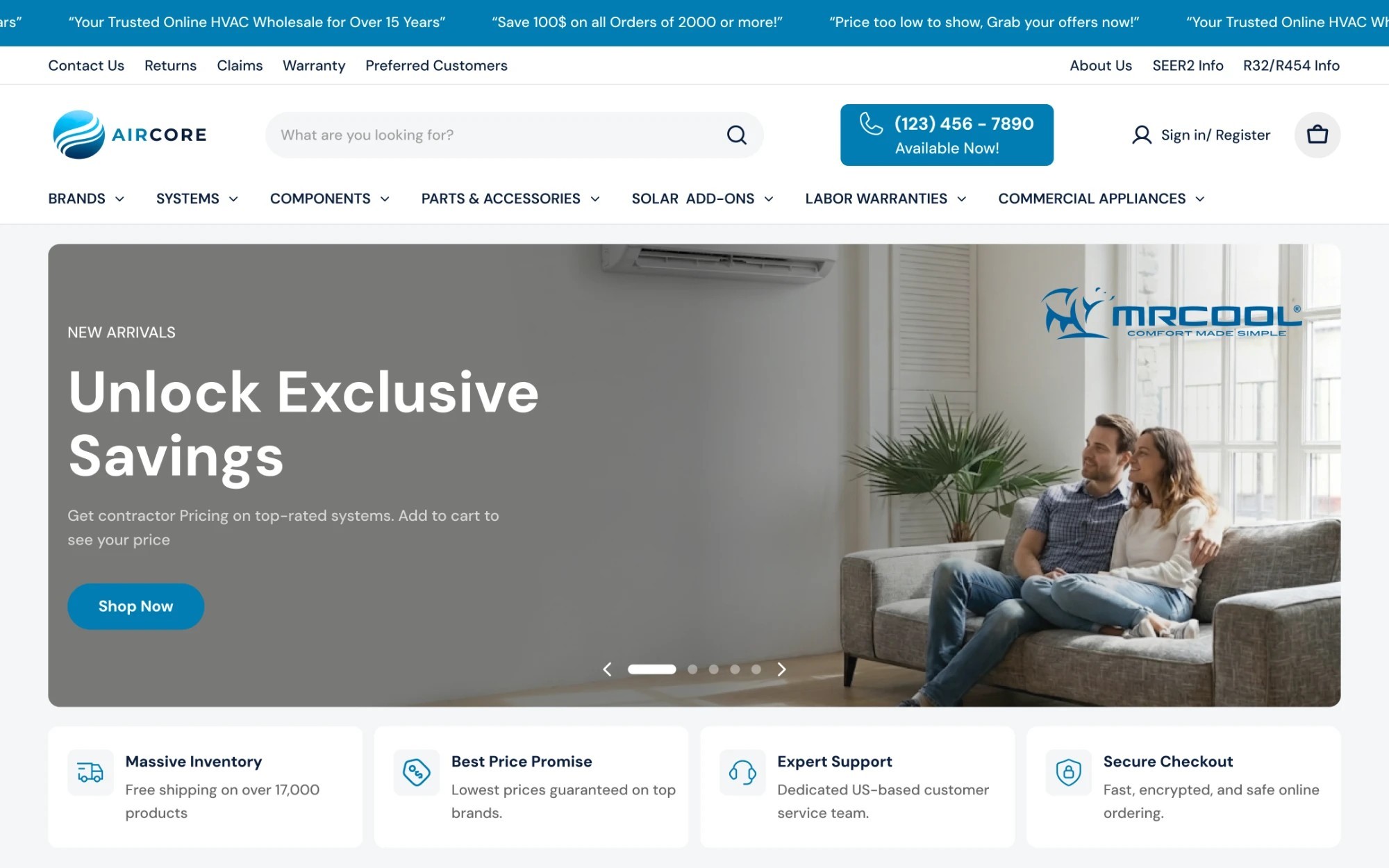
My contribution
My main focus was the system customiser, from product selection through required configuration, optional add-ons and the cart. I also worked on navigation, product pages and storefront design.
Specs were getting in the way of buying
Buying HVAC is technical. Before a homeowner can compare prices, they have to make sense of SEER2 ratings, tonnage, refrigerant types and compatibility. Contractors already know the model number, so every extra step slows them down.
products, from complete systems to spare parts
brands on one A–Z page
price-match guarantee, shown throughout the store
What was broken
- Specs first
- Product pages read like datasheets
- Compatibility
- Thermostat, line set and pad came up too late in the purchase
- Trust
- Guarantees and support info were scattered and easy to miss
Customising the system before it goes in the cart
A condenser needs a matching air handler, and an installation may also need a thermostat, line set and pad. The customiser brings these choices together before checkout.
What other stores offered
Before we started building, we looked at how other HVAC stores and brands handled this. Most had no customisation at all: you bought the unit and had to work out the add-ons on your own. The few that did offer options only had one or two fixed bundles.
How it works
The customiser on mobile, from the product page to the cart.
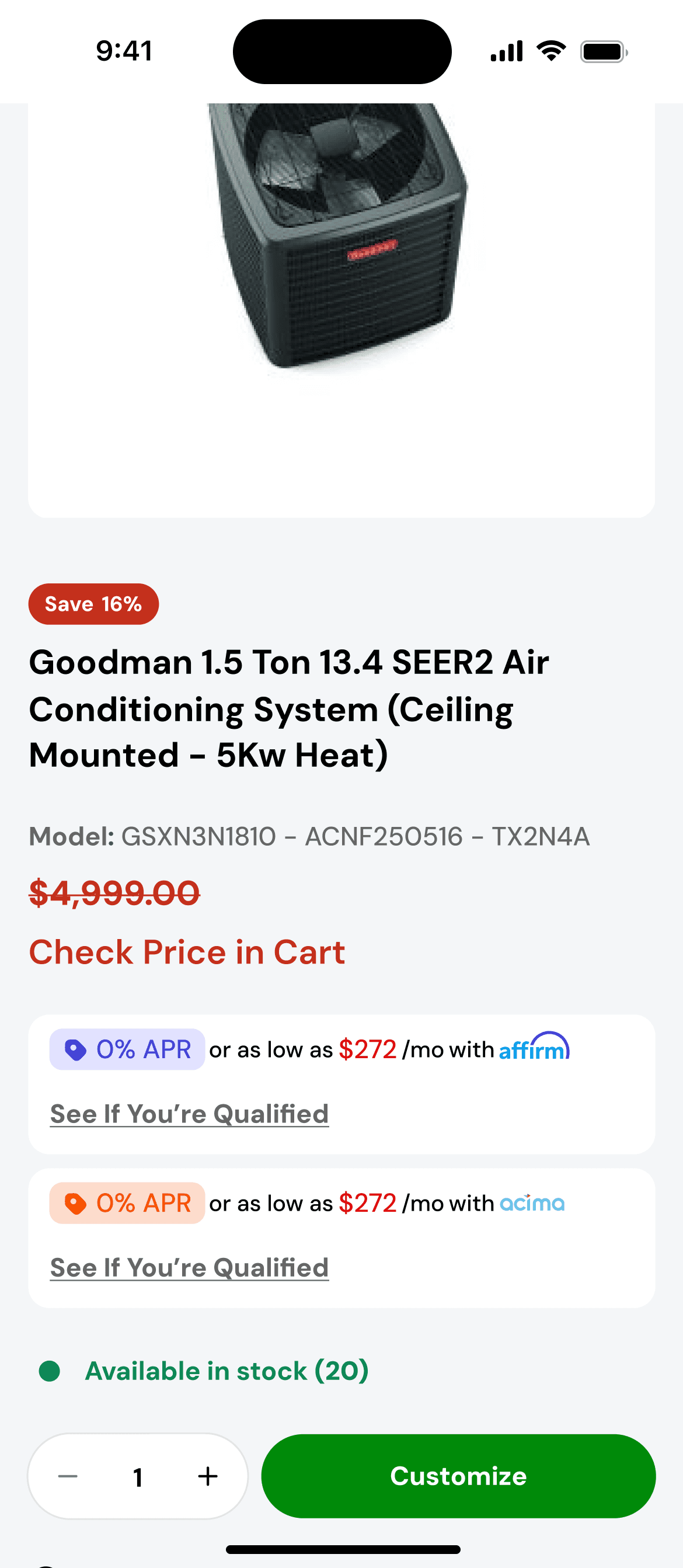
1. Product page
Configurable systems get a Customize button instead of Add to Cart, with financing options just above it.
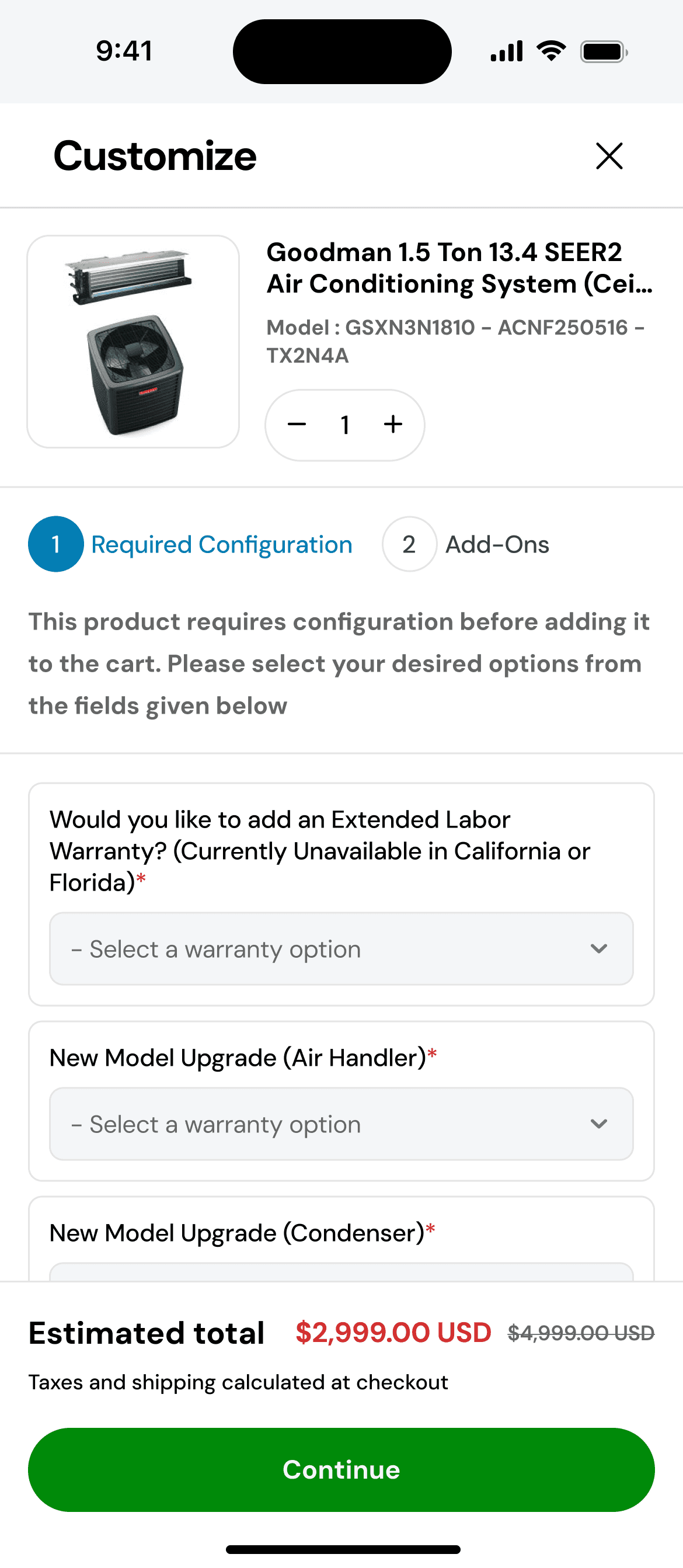
2. Required configuration
The warranty and model upgrades the order can’t go through without. Discontinued units switch to their replacement here.
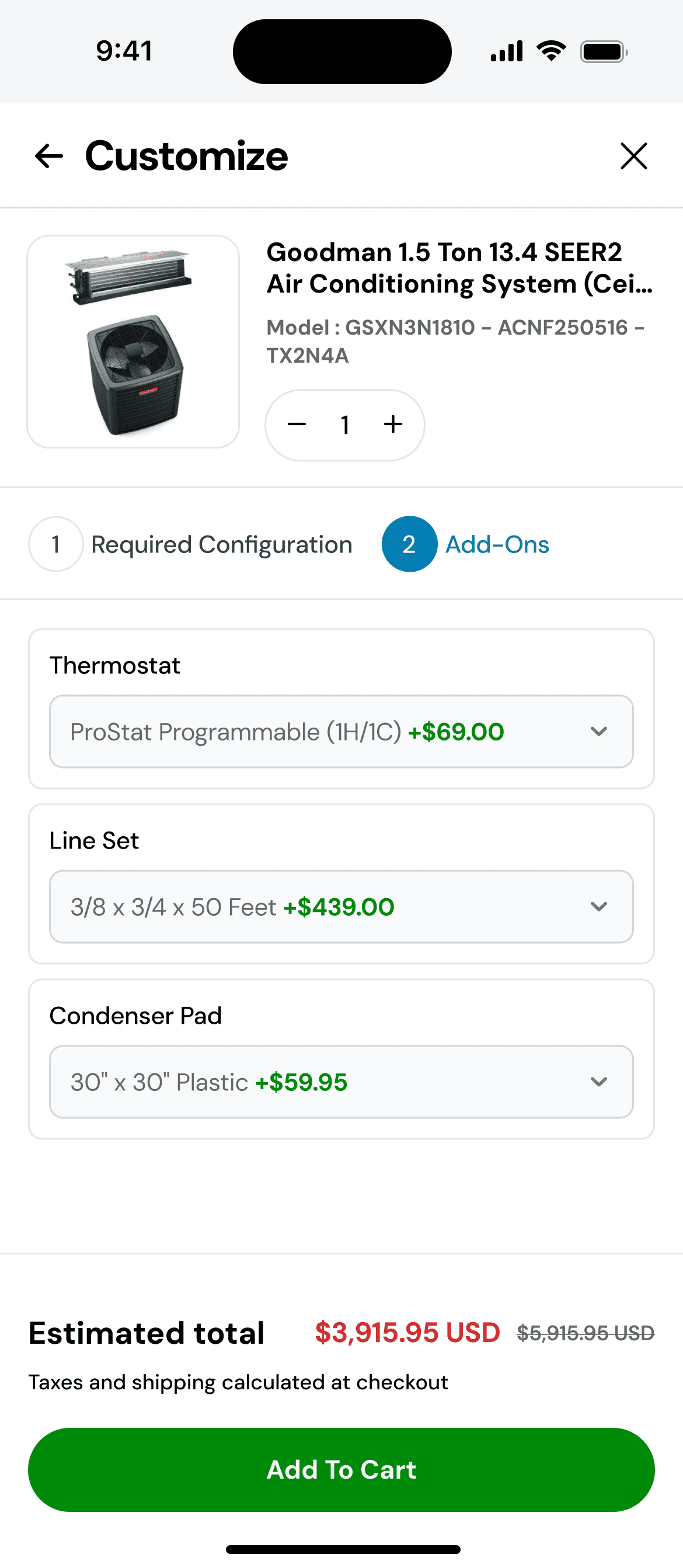
3. Add-ons
Thermostat, line set and condenser pad, each with its price. The estimated total updates as you choose.
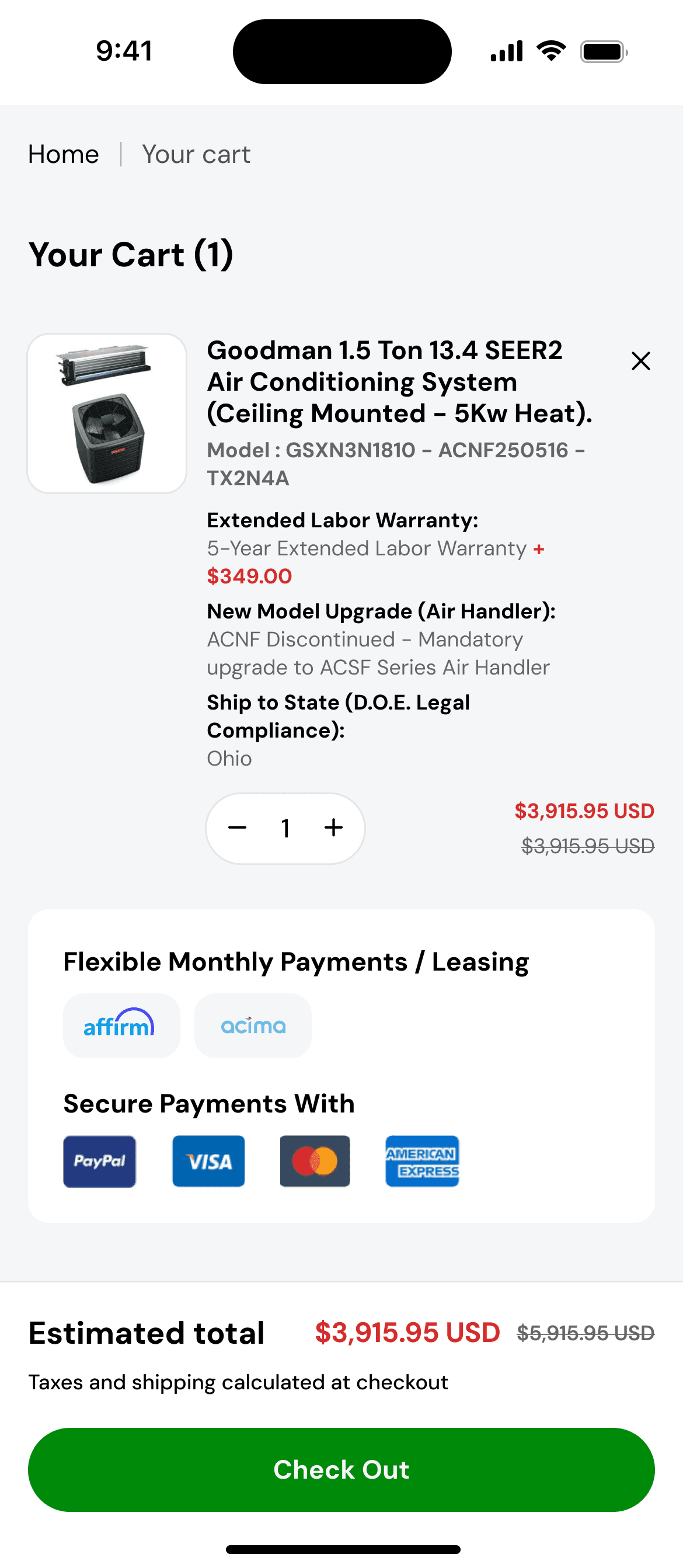
4. Cart
Every choice carries into the cart line by line, so the total at checkout is the one you already saw.
Other changes across the store
Smaller decisions, made with both homeowners and contractors in mind.
Three ways to browse
By category, by brand for contractors who always buy Goodman or Daikin, and a guided path for people who aren’t sure what they need.
Product pages built for a quick check
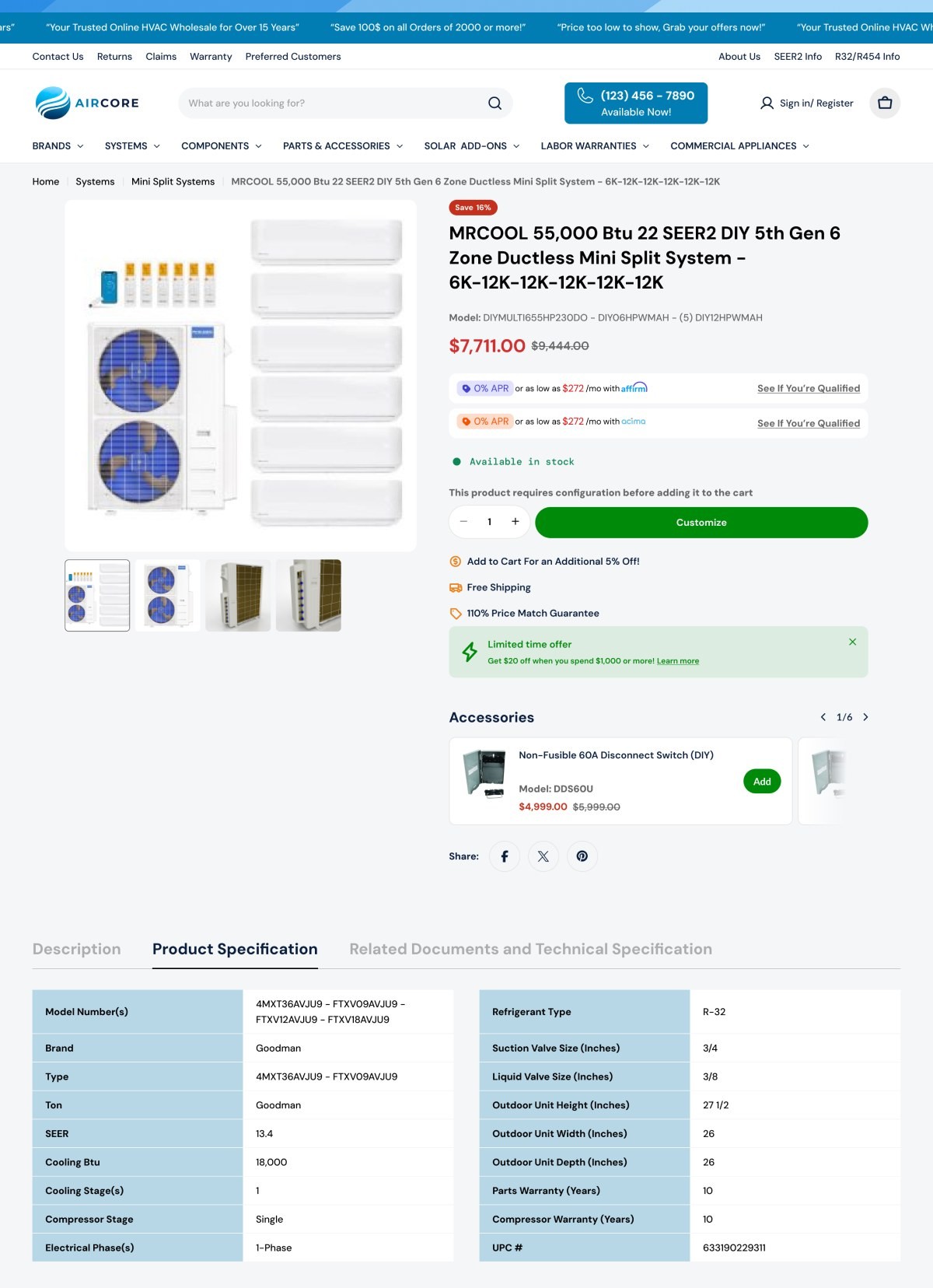
The spec table, financing, reviews and related systems are ordered so a contractor can confirm a model quickly and a homeowner can read through the details.
Trust signals near the buy button
Free shipping, the 110% price match and US-based support are shown next to purchase decisions instead of only in the footer.
The redesigned store
Designed for desktop and mobile web.
Home page, before and after
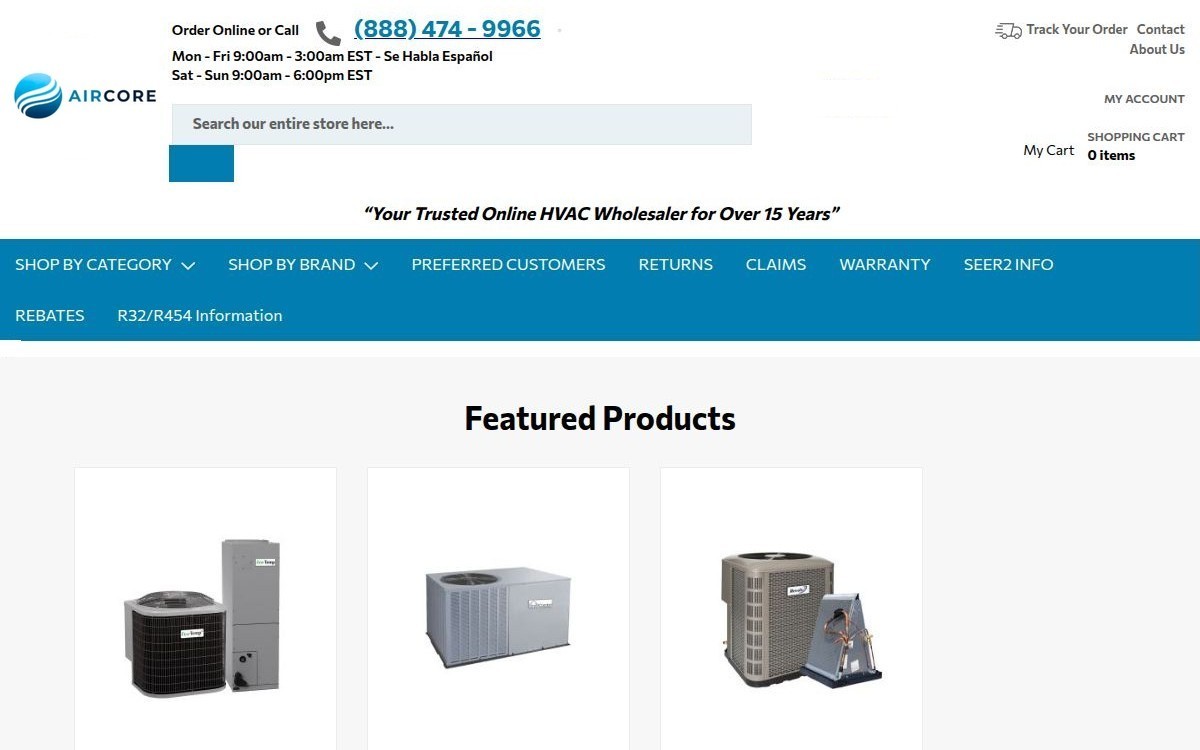
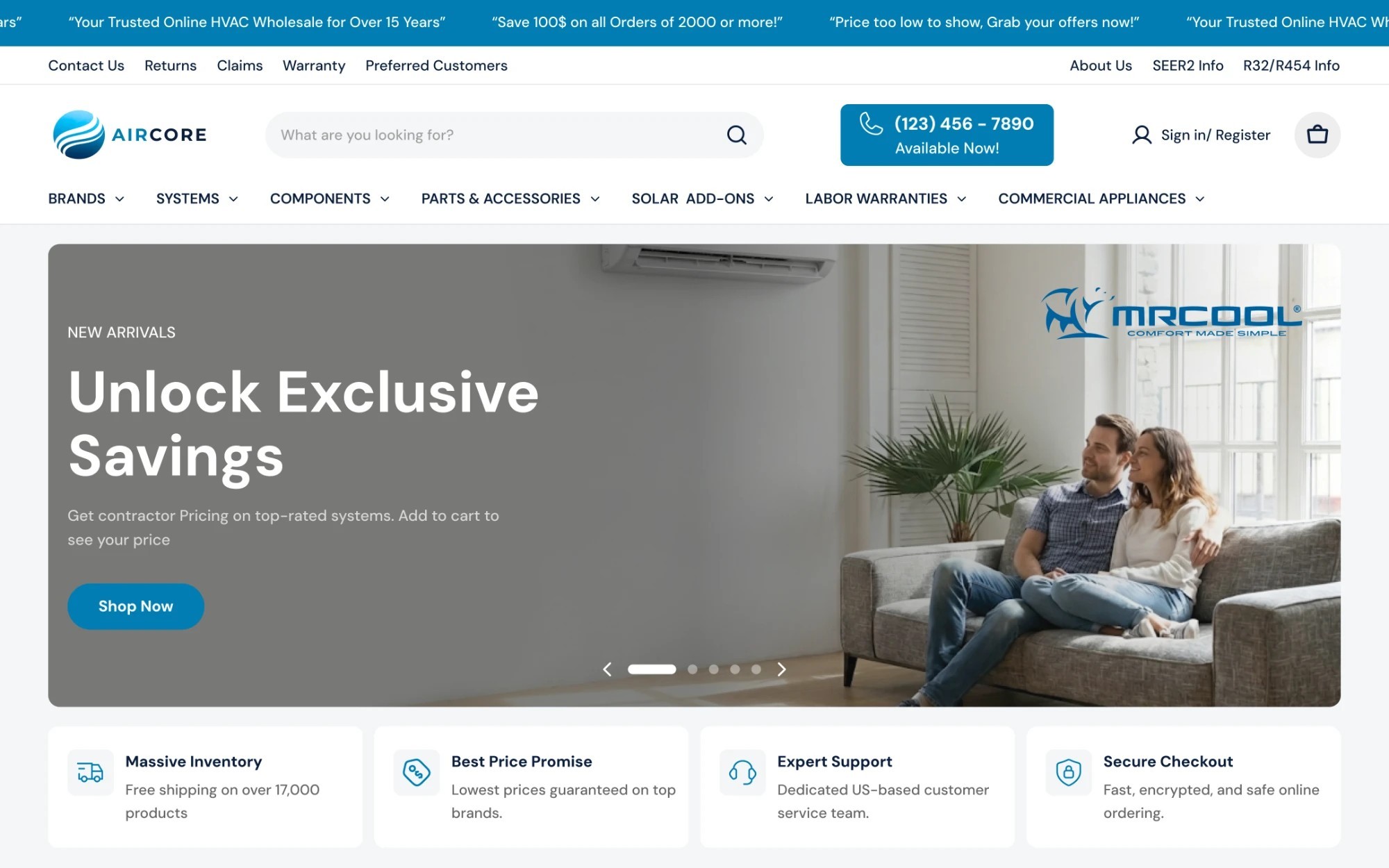
Select either view to inspect it at full size.
Product page
Specs, financing and reviews, with the customiser one tap away.
Outcomes & reflection
The redesigned catalogue, product pages, customiser and checkout went live. Post-launch conversion, completion-rate and support-volume data are not available yet.
What I took away
Designing for homeowners and contractors meant offering guidance without slowing down people who already know the model they need. The customiser made that tradeoff concrete: required decisions first, optional extras second.